Discovered – Currently Not Indexed: What It Means + How to Fix It
“Discovered – currently not indexed” in Google Search Console means Google knows your page exists but hasn't crawled it yet. Here's why — and exactly how to fix it.
“Discovered – currently not indexed” means Google found your URL but hasn't bothered to crawl it yet. It's a crawl-priority problem, not a quality verdict — Google hasn't even read the page. Raise the page's priority with real internal links, a lean sitemap, and faster server responses, and it'll get crawled.
This is the one indexing status where Google hasn't even looked at your page. It found the URL — in your sitemap, in a link somewhere — added it to a queue, and then deprioritized it. No crawl, no content evaluation, no verdict. Just a URL waiting its turn that keeps not coming.
That's the whole mental model, and it changes what you do about it. Don't touch the content — Google never saw it. The job is to raise the page's crawl priority so it jumps the queue. This guide shows you how to tell which signal is holding it back, and the fix for each.
First, confirm it's really "discovered" and not "crawled"
These two get mixed up constantly, and they need opposite fixes. Open Pages → Why pages aren't indexed and click into “Discovered - currently not indexed.” You'll get the list of affected URLs.
Inspect one with URL Inspection and look at the Last crawl field. For a true "discovered" URL it reads “N/A” — Google has the URL on record but has never fetched it. If you instead see a real crawl date, the page was crawled and you're actually dealing with Crawled – currently not indexed, which is a quality verdict, not a priority problem.
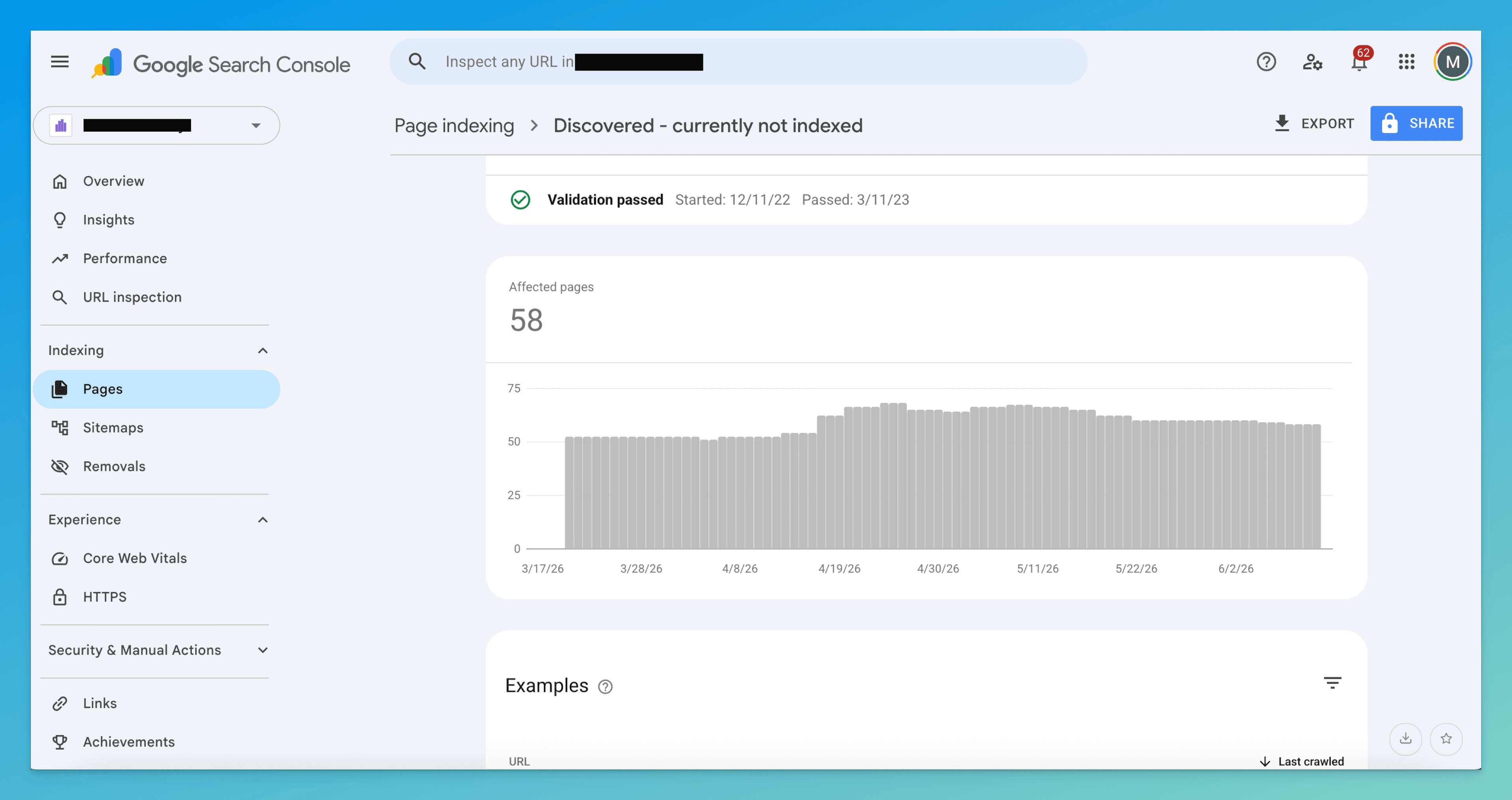
A page can sit in "discovered" for weeks and then get crawled on its own the moment your site earns more authority or the URL picks up a few internal links. The status is a priority snapshot, not a rejection — Google just hasn't gotten to it.
Find your cause (it's a priority signal, not a content one)
Run your stuck URL against these in order. On most sites the first two are the culprit, but the tells will point you straight at yours.
1. Nothing on your site actually links to it
This is the most common cause by far. If a URL is reachable only through your sitemap — an orphan with no links from your navigation, pillar pages, or body content — Google reads that as you signaling it doesn't matter. Internal links are the strongest crawl-priority signal you control, and this page has none.
Tell: clicking through your own site from the homepage, you can't reach the page at all without typing the URL in directly.
2. The sitemap is the only thing that knows it exists
Closely related, but worth separating: the page is in your XML sitemap and nowhere else. A sitemap tells Google a URL exists; it does almost nothing for priority. A bloated sitemap stuffed with thin tag pages, expired listings, and parameter URLs makes it worse — it dilutes the signal so even your good pages look like noise.
Tell: the URL appears under a sitemap in Sitemaps → (your sitemap) → See page indexing, but you can't find a single internal link pointing to it.
3. The site has more URLs than Google wants to crawl (crawl budget)
This only bites large sites — tens of thousands of URLs and up. When you generate endless faceted-navigation combinations (?color=, ?sort=, ?page=), Google caps how much it crawls and spends that budget on the URLs it already trusts. New or low-value pages wait at the back.
Tell: you run a large e-commerce or listings site, and Settings → Crawl stats shows Googlebot spending most requests on parameter or filter URLs rather than your real pages.
4. The whole site is still earning trust
On new or low-authority domains, Google crawls conservatively — it won't burn resources on a site that hasn't proven it's worth the trips. Pages that would get crawled within hours on an established domain sit for weeks here.
Tell: it's not one page, it's many across the site, the domain is young or has few referring links, and Crawl stats shows a low total request count overall.
5. Your server is too slow to crawl aggressively
Google throttles its crawl rate to avoid overwhelming your host. Slow responses, timeouts, or 5xx errors during crawls tell it to back off — so it crawls less, and discovered URLs wait longer.
Tell: in Settings → Crawl stats, average response time is climbing (anything consistently over ~600ms is a flag) or you see a band of failed/timeout responses in the host-status chart.
How to fix it
Match the fix to the cause you found — you rarely need all of these. Everything here is about making the page worth crawling sooner, not about rewriting it.
- Link to it from pages Google already trusts
For an orphan or sitemap-only page (causes 1 and 2), this is the single highest-leverage move. Add 3–5 contextual links from pages that are already indexed and topically related — your homepage, a pillar post, a popular article. Use descriptive anchor text, not "click here." Links from already-crawled pages are how Google discovers and prioritizes; a sitemap entry is not a substitute.
- Trim the sitemap and block the junk URLs
For sitemap bloat or crawl budget (causes 2 and 3): strip everything from your sitemap that you don't actually want indexed — expired pages, thin tag/filter URLs, duplicates. Then stop the parameter URLs from eating crawl budget at all: canonicalize faceted variants to the clean URL, or disallow the crawlable-but-worthless ones (
?sort=,?ref=, session IDs) inrobots.txt. A lean sitemap of only real pages is a clean priority signal. - Fix server speed so Google crawls harder
For a slow server (cause 5): get average response time down (target well under 500ms), eliminate timeouts, and make sure crawls never hit 5xx errors. As Google sees a healthy, fast host in Crawl stats, it raises your crawl rate automatically — which clears the discovered backlog across the whole site, not just one URL.
- Build site authority for the long game
For a trust problem (cause 4): there's no per-page trick. Earn a few real backlinks, publish consistently, and get your strongest pages indexed first so the domain builds a track record. Crawl frequency rises with trust, and the waiting pages tend to clear once it does.
- Then request indexing — once
After the page has real internal links pointing to it, run URL Inspection on it and click Request indexing. This nudges Google to crawl it sooner, but it only sticks if the priority signals are actually there now. Request it once — re-submitting hourly does nothing but burn your daily quota.
How to know it worked
Unlike a quality fix, the first milestone here is a crawl, not an index. Watch for it in this order:
- URL Inspection → Last crawl — re-inspect the URL. When "N/A" turns into a real date, you've won the hard part: Google finally fetched it. Indexing usually follows within days if the page is decent.
- GSC Pages report — the URL should drop out of "Discovered - currently not indexed." If it lands in "Crawled - currently not indexed" instead, the priority problem is solved but now you have a quality problem to fix.
- Performance report — filter to the page. Impressions appearing where there were none is proof it's indexed and surfacing.
If it's still in "discovered" after two or three weeks, the internal links you added probably aren't from crawled, trusted pages — or the sitemap is still drowning the signal. Re-check causes 1 and 2 first.
Don't confuse it with these neighbors
| Status | What it really means | Fix lives at |
|---|---|---|
| Discovered – currently not indexed | Google knows the URL but hasn't crawled it yet — a priority problem | This page |
| Crawled – currently not indexed | Google read it and judged it not worth indexing — a quality verdict | Crawled guide |
| Blocked by robots.txt | A robots.txt rule is stopping Google from crawling it at all | Robots.txt guide |
| Duplicate without user-selected canonical | Google picked a different version to index | Duplicate canonical guide |
The line that separates this from the rest: Google hasn't looked at the page yet. Fix the priority signals and it will.
The slow part isn't adding the links — it's finding every URL stuck in "discovered," then working out which signal is holding each one back and which pages should link to it.
TurboConsole reads your Search Console data, flags the pages stranded in this bucket, and tells you the likely cause per page — orphan, sitemap bloat, crawl budget, trust, or server speed — plus which already-indexed pages are the best ones to link from. You skip straight to the fix instead of cross-referencing reports.
Frequently asked
How long does “discovered – currently not indexed” usually last?
Is “discovered – currently not indexed” a technical error?
Should I keep requesting indexing in GSC?
How is this different from “crawled – currently not indexed”?
We surface these issues automatically.
Connect Search Console once. Every issue like this gets ranked by impact, with a fix you can ship today.
Related issues
- Crawled – Currently Not Indexed: What It Means + How to Fix It“Crawled – currently not indexed” in Google Search Console means Google saw your page but chose not to index it. Here's why it happens and exactly how to fix it.
- Blocked by robots.txt: What It Means + How to Fix It“Blocked by robots.txt” in Google Search Console means your robots.txt is telling Google not to crawl this page. Here's when it's intentional, when it's a problem, and exactly how to fix it.
- Duplicate Without User-Selected Canonical: What It Means + How to Fix It“Duplicate without user-selected canonical” in Google Search Console means Google found duplicate pages and picked one for you. Here's why — and exactly how to fix it.