Crawled – Currently Not Indexed: What It Means + How to Fix It
“Crawled – currently not indexed” in Google Search Console means Google saw your page but chose not to index it. Here's why it happens and exactly how to fix it.
“Crawled – currently not indexed” means Googlebot fetched your page but judged it not worth indexing. It's a quality verdict, not a technical error — almost always thin/duplicate content, a weak internal-link position, or low site trust. Fix the root cause, then request indexing. Re-indexing takes days to weeks.
“Crawled – currently not indexed” is the one GSC status that stings, because nothing is broken. Google reached your page, read it, and decided it didn't earn a spot in the index. There's no 404 to fix, no robots.txt rule to lift — just a quiet no.
So the work here isn't technical. It's convincing Google the page is worth indexing. This guide shows you how to tell which of the four real causes is yours, and what to change for each.
First, confirm it's actually this status
It's easy to misread the GSC Pages report. Open Pages → Why pages aren't indexed and click into “Crawled - currently not indexed.” You'll get the list of affected URLs.
Inspect one with URL Inspection and check the Last crawl date. If there's a recent crawl date here, the status is real: Google has the page. If Last crawl says “N/A” or the URL only shows under Discovered, you're looking at a different problem — see Discovered – currently not indexed, which is a crawl-priority issue, not a quality one.
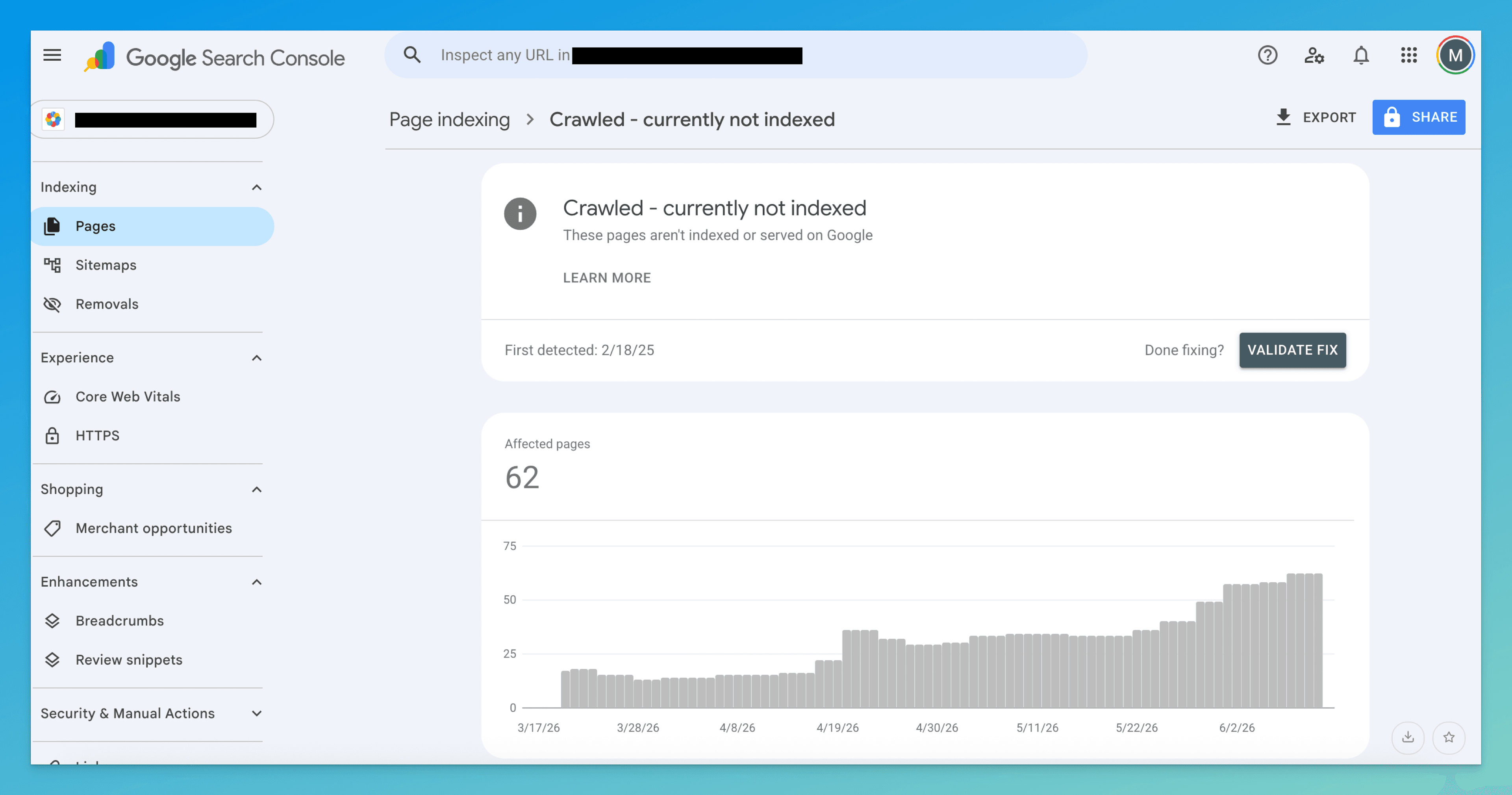
One detail people miss: a page can sit in this bucket for weeks and then get indexed on its own once your site earns more trust or the page picks up internal links. The status is a snapshot of a judgment, not a permanent rejection.
What Google is actually telling you
Strip away the jargon and the message is: “We have room to index this, and we chose not to.”
That matters because it rules things out. The page isn't blocked. It isn't a canonical conflict (that shows as a different status). Googlebot didn't time out. Google made a content-quality call — and quality, here, means relative to what's already ranking for the same intent, not in the abstract. A perfectly fine page can be skipped simply because three better pages already cover the topic.
Find your cause (it's usually one of four)
Don't fix blindly. Run your skipped URL against these four, in order — the first match is almost always the real one.
1. The page is thin against its competition
Not “short” — thin relative to the SERP. Search the query your page targets and look at the top 3 results. If they answer five sub-questions and yours answers one, Google has no reason to add a redundant, lighter version.
Tell: your page is noticeably briefer or shallower than what ranks, or it's a stub you always meant to expand.
2. It duplicates another page on your own site
Google won't index two near-identical pages. This is the silent killer for:
- Location/service pages spun from one template (“Plumber in ”)
- Product variants that differ only by size or color
- Tag and filter URLs that recombine the same content
- Paginated or boilerplate pages with one swapped paragraph
Tell: you have a set of pages built from the same skeleton, and only some got indexed.
3. Nothing important links to it
If a page is an orphan — reachable only from the sitemap, not from your real navigation or body content — Google reads that as you signaling it's low priority. It'll crawl it once and lose interest.
Tell: clicking through your own site, you can't reach the page in two or three clicks from the homepage.
4. The whole site is still earning trust
On new or low-authority sites, Google indexes selectively. Pages that would sail in on an established domain wait in this bucket. Nothing is wrong with the individual page — the site just hasn't proven itself yet.
Tell: it's not one page; it's many, across topics, on a domain that's young or thin overall.
How to fix it
Match the fix to the cause you found above — you rarely need all of these.
- Make the page the best answer, not just an answer
For a thin page (cause 1), open the top 3 ranking pages and list what they cover that you don't. Close those gaps with real substance — examples, steps, numbers, an original take — not padding. The bar isn't “1,000 words,” it's “more useful than what's already winning.”
- Consolidate or differentiate duplicates
For duplication (cause 2): either merge the near-identical pages into one strong page (301-redirect the rest), or give each a genuinely distinct angle, audience, and target query. If two pages can't justify existing separately, they shouldn't.
- Link to it like you mean it
For an orphan (cause 3): add 3–5 contextual internal links from pages that are already indexed and relevant — your homepage, a pillar post, related articles. Use descriptive anchor text. This moves the page into a denser part of your link graph and tells Google it's load-bearing.
- Strengthen the site, not just the page
For a trust problem (cause 4): there's no per-page trick. Publish consistently, earn a few real backlinks, and index your strongest pages first so the domain builds a track record. The waiting pages tend to clear once the site does.
- Then — and only then — request indexing
Once the underlying issue is genuinely fixed, run URL Inspection on the page and click Request indexing. This just asks Google to re-evaluate; it does nothing if the page is unchanged. Request it once. Re-submitting hourly does not speed anything up.
How to know it worked
Re-indexing isn't instant — give it a few days to a few weeks, longer on newer sites. Three checks, in order of reliability:
- GSC URL Inspection — re-inspect the URL. “URL is on Google” is the definitive answer; the Pages report can lag.
- Performance report — filter to the page. Impressions appearing where there were none is the real-world proof it's indexed and surfacing.
site:search —site:yourdomain.com/your-page-url. Quick sanity check, but trust GSC over this.
If it's still excluded after two or three weeks, you fixed the wrong cause. Go back to the four above and re-diagnose — most often the page is still thin against its competition, or the duplication wasn't fully resolved.
Don't confuse it with these neighbors
| Status | What it really means | Fix lives at |
|---|---|---|
| Crawled – currently not indexed | Google read it and judged it not worth indexing | This page |
| Discovered – currently not indexed | Google knows the URL but hasn't crawled it yet — a priority issue | Discovered guide |
| Duplicate without user-selected canonical | Google picked a different version to index | Duplicate canonical guide |
| Alternate page with proper canonical tag | You told Google to index a different canonical instead | Alternate page guide |
The line that separates this from the rest: it's a quality verdict, not a crawl problem and not a canonical instruction.
The slow part isn't the fix — it's finding every crawled-but-not-indexed page, then working out which of the four causes applies to each one.
TurboConsole reads your Search Console data, flags the pages stuck in this bucket, and tells you the likely cause per page — thin, duplicated, orphaned, or trust — so you skip straight to the fix instead of inspecting URLs one at a time.
Frequently asked
Why does Google crawl a page but not index it?
How long does it take for a page to move from “crawled – currently not indexed” to indexed?
Will requesting indexing in GSC fix this?
Is “crawled – currently not indexed” the same as “discovered – currently not indexed”?
We surface these issues automatically.
Connect Search Console once. Every issue like this gets ranked by impact, with a fix you can ship today.
Related issues
- Discovered – Currently Not Indexed: What It Means + How to Fix It“Discovered – currently not indexed” in Google Search Console means Google knows your page exists but hasn't crawled it yet. Here's why — and exactly how to fix it.
- Duplicate Without User-Selected Canonical: What It Means + How to Fix It“Duplicate without user-selected canonical” in Google Search Console means Google found duplicate pages and picked one for you. Here's why — and exactly how to fix it.
- Alternate Page with Proper Canonical Tag (GSC): What It Means + How to Fix It“Alternate page with proper canonical tag” in Google Search Console means Google chose a different version to index. Here's when it's fine, when it's a problem, and how to fix it.