Submitted URL Not Found (404): What It Means + How to Fix It
“Submitted URL not found (404)” in Google Search Console means you submitted a URL that returns a 404. Here's why it happens — and exactly how to fix it.
This status is a mismatch: your sitemap told Google to index a page, and that page returns a 404. The fix depends on why the URL is in your sitemap at all — a deleted page needs a 301 or removal, a templating bug needs a sitemap fix, and a routing bug needs the page to actually load. Confirm the 404 is real first, then pick the matching fix.
The thing to understand about this status is that it's a contradiction your own site is creating. Your sitemap is a list of pages you're telling Google to go index. One of those URLs returns a 404. Google did exactly what you asked, hit a dead end, and is now reporting the disagreement back to you.
So the real question isn't "why is this page a 404." A 404 on a page nobody submitted is completely fine. The question is: why is a dead URL still in your sitemap — and that has four possible answers, each with a different fix. This guide helps you find which one is yours.
First, confirm the 404 is real
Before you change anything, prove the URL actually 404s. The status can lag reality — you may have already fixed it, or the page may load fine for you but 404 for Googlebot.
Open Pages → Why pages aren't indexed, click into “Submitted URL not found (404),” and copy an affected URL. Then check it two ways:
- Visit it in a browser. A real 404 page is the obvious case. But a page that looks fine can still be returning a 404 status code under the hood — your browser shows content while the server reports "not found."
- Run URL Inspection on it in GSC. Look at the crawl response. If Google sees a 404, that's the authoritative answer, regardless of what your browser shows.
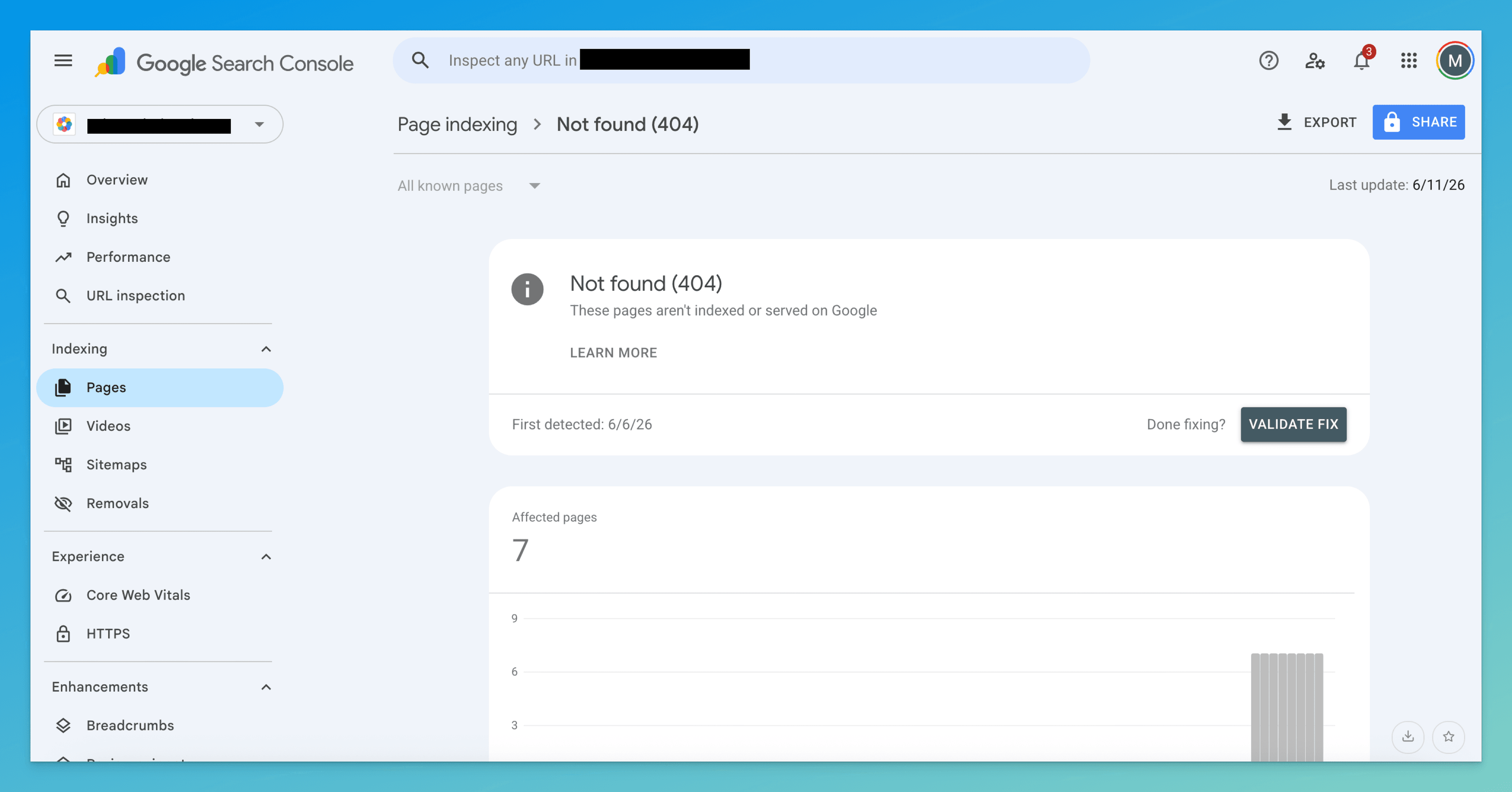
If the page loads for you but URL Inspection reports a 404, you have a server or routing bug (cause 3 below), not a stale sitemap. Don't delete the URL — the page is supposed to exist; it's just not being served correctly.
Find your cause (it's one of four)
Once you've confirmed the 404, work down this list. The first match is almost always yours, and it decides the fix.
1. The page was deleted or moved, and the sitemap wasn't updated
The most common cause. You retired a page or changed its URL, but your sitemap still lists the old address. Google trusts the sitemap and keeps trying.
Tell: the URL is one you recognize — a real page that used to exist — and it's gone or now lives somewhere else.
2. A bug is generating wrong URLs in the sitemap
The page exists at the correct URL, but your sitemap lists a broken variant: a missing or extra trailing slash, the wrong domain (http vs https, www vs bare), a leftover staging hostname, or a templating error joining path segments.
Tell: the 404'd URL is close to a real one but subtly off — /blog/post/ when the page lives at /blog/post, or staging.yoursite.com/... in a production sitemap.
3. The page exists but 404s from a server or routing bug
The content is published and the URL is correct, but the server returns a 404 anyway — a misconfigured route, a case-sensitivity mismatch, a broken rewrite rule, or a deploy that dropped the page.
Tell: you can see the page in your CMS and the sitemap URL looks right, yet URL Inspection still reports 404.
4. A stale sitemap cache
You already fixed the sitemap, but Google is still reading an old copy — or your CDN/build is still serving one. The report reflects a version that no longer matches your live site.
Tell: the URL you removed days or weeks ago is still flagged, and your current live sitemap no longer contains it.
How to fix it
Match the fix to the cause above — you won't need all five.
- Decide the deleted page's fate: redirect, restore, or remove
For a deleted or moved page (cause 1), don't reflexively yank it from the sitemap. First ask whether anything still points to it — real users, backlinks, internal links. If yes, 301-redirect the old URL to the closest equivalent page; you keep that traffic and ranking signal. If the page moved, redirect to its new home. If it's genuinely gone with no replacement, let it return
404(or410 Gonefor slightly faster deindexing) and remove the URL from the sitemap. Removing it from the sitemap is what clears this specific status — but the redirect is what protects the value. - Fix the sitemap generator, not the entry
For a URL-generation bug (cause 2), don't hand-edit one URL — the generator will just re-emit it. Find where the sitemap is built (CMS plugin, framework route, build script) and fix the rule: normalize trailing slashes to match your canonical form, hardcode the correct production domain, and strip staging hosts. One bad pattern usually produces dozens of these, so fixing the source clears them all at once.
- Fix the route so the page actually loads
For a server/routing bug (cause 3), the sitemap is correct — the page just isn't being served. Check your routing rules, rewrites, and case sensitivity (
/Aboutvs/about). Confirm the page returns a real200to a fresh request, not just in your logged-in CMS preview. The sitemap entry stays; you're making reality match it. - Force Google past a stale cache
For a stale sitemap (cause 4), confirm your live sitemap is actually current — fetch
https://yourdomain.com/sitemap.xmldirectly and check the URL is really gone. Clear any CDN or build cache serving an old copy. Then resubmit in GSC → Sitemaps so Google re-reads the current list. - Then resubmit and validate
After any fix, go to GSC → Sitemaps, resubmit, and click Validate Fix on the issue in the Pages report. This tells Google to re-crawl the affected URLs sooner. Do it once — re-submitting repeatedly doesn't speed anything up.
How to know it worked
Re-crawling takes time — usually days, sometimes a couple of weeks. Check in this order:
- URL Inspection — re-inspect the URL. For a redirect, you want to see Google follow it to the live page; for a fixed route, you want a clean
200. This is the definitive read. - Pages report → Validate Fix — the status moves to "Validating," then "Passed" once Google confirms the affected URLs. The report lags URL Inspection, so don't panic if it's slow.
- Live sitemap spot-check — fetch your sitemap and confirm it only lists URLs that resolve. This is the habit that stops the problem recurring.
If the same URL is still flagged after two or three weeks, re-diagnose. The usual culprits: a redirect that itself 404s, or a sitemap generator still emitting the bad URL because you fixed the entry instead of the rule.
Don't confuse it with these neighbors
| Status | What it really means | Fix lives at |
|---|---|---|
| Submitted URL not found (404) | A submitted URL returns a real 404 — the page doesn't exist at that address | This page |
| Soft 404 | The URL returns 200, but the content looks empty or missing to Google | Soft 404 guide |
| Crawled – currently not indexed | The page exists and loads fine — Google just chose not to index it | Crawled guide |
| Discovered – currently not indexed | Google knows the URL but hasn't crawled it yet | Discovered guide |
The line that separates this from the rest: the page genuinely returns a 404 at the exact URL you submitted. If it returns 200, you're looking at a soft 404 or an indexing decision, not this.
The tedious part isn't fixing one broken URL — it's pulling the GSC report, matching every 404 against your sitemap and internal links, and deciding per URL whether it needs a redirect, a generator fix, or a clean removal.
TurboConsole reads your Search Console data, flags every submitted URL that 404s, shows where each one is referenced, and tells you whether to redirect or remove it — so you act on the list instead of building it.
Frequently asked
Is a 404 always bad for SEO?
Should I 301 redirect every 404 to my homepage?
Why do new sitemaps sometimes have 404 errors I didn't expect?
How do I get GSC to stop reporting old 404s after I fix them?
We surface these issues automatically.
Connect Search Console once. Every issue like this gets ranked by impact, with a fix you can ship today.
Related issues
- Soft 404 Error: What It Means + How to Fix It“Soft 404” in Google Search Console means a page returns a 200 OK status but looks empty or missing to Google. Here's why it happens and exactly how to fix it.
- Discovered – Currently Not Indexed: What It Means + How to Fix It“Discovered – currently not indexed” in Google Search Console means Google knows your page exists but hasn't crawled it yet. Here's why — and exactly how to fix it.
- Crawled – Currently Not Indexed: What It Means + How to Fix It“Crawled – currently not indexed” in Google Search Console means Google saw your page but chose not to index it. Here's why it happens and exactly how to fix it.