Excluded by 'noindex' Tag: What It Means + How to Fix It
“Excluded by 'noindex' tag” in Google Search Console means a noindex directive is keeping your page out of the index. Here's when that's correct, when it's a mistake, and exactly how to fix it.
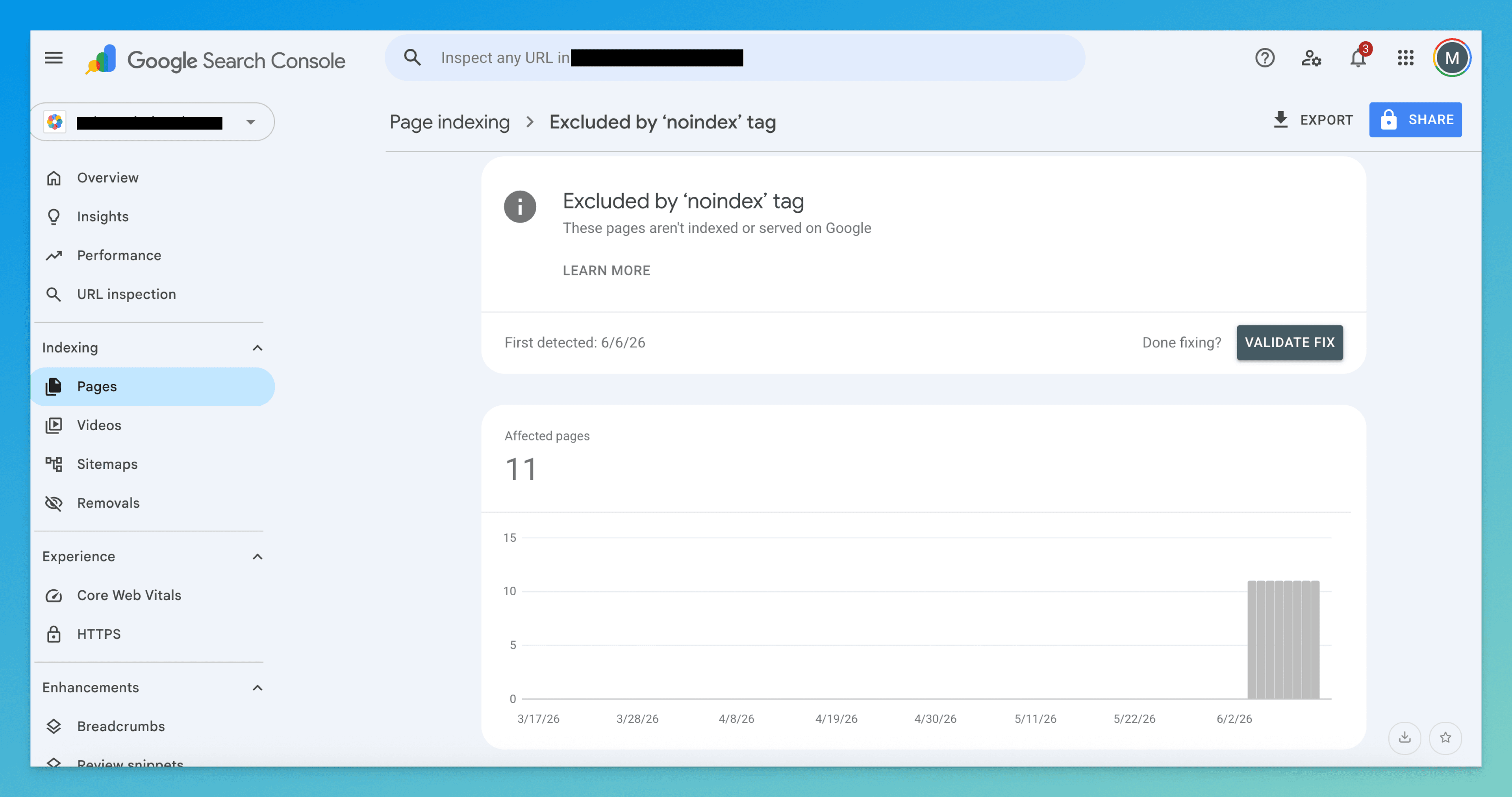
“Excluded by 'noindex' tag” means Google crawled your page, found a noindex directive, and obeyed it. The only question that matters: did you put it there on purpose? Intentional on thank-you and admin pages; a leftover from staging or a stray CMS toggle on pages you want ranking. Find the source, remove it, keep the page crawlable, then request indexing.
Of every exclusion status in GSC, this is the one Google is most certain about. There's no judgment call, no crawl-budget guess — your page literally carried a noindex directive, and Google did exactly what it said. The whole investigation collapses to a single question: did you mean to put that directive there?
Get that answer right and the fix is obvious. Get it wrong and you either deindex a page that pays the bills or burn a week chasing a directive that's supposed to be there. So before you touch any code, sort the URL into one of two buckets.
Confirm it's real and read the source
Open Pages → Why pages aren't indexed → “Excluded by 'noindex' tag” for the full list of affected URLs. Then inspect one with URL Inspection — this is the step people skip, and it's the one that tells you everything.
In the inspection panel, look at Page indexing → Indexing allowed. When it reads “No: 'noindex' detected in 'X-Robots-Tag' http header” or “…in 'robots' meta tag,” GSC has just told you which of the two mechanisms is firing. That single line decides where you go looking — the HTML or the server config. Don't guess; let GSC point.
A noindex page must stay crawlable for any of this to work. Google can only see that you removed the directive if it can still fetch the page. If the URL is also disallowed in robots.txt, Google never re-reads the HTML, the old noindex sticks in its memory, and the page stays excluded forever. See Blocked by robots.txt — never stack the two.
The fork: intentional or accidental?
Some pages should carry noindex. The directive isn't a bug — it's a tool. The problem is only when it lands on a page you wanted in search.
Leave it alone if the URL is one of these:
- Thank-you / order-confirmation pages (you don't want these ranking and leaking conversions)
- Internal search results (
/?s=…,/search?q=…) — Google treats these as thin by design - Admin, login, cart, or account screens
- Thin tag, author, or date-archive pages that recombine existing content
- Staging or preview URLs that shouldn't be public at all
Treat it as a fire if the URL is a money page that's silently missing from search:
Tell: a blog post, product, collection, or service page sits in this bucket, and its impressions in the Performance report flatlined or dropped to zero around a specific date. That date is your lead — it usually lines up with a site launch, a theme swap, or a plugin update. An accidental site-wide noindex is one of the most destructive SEO mistakes there is, and it's almost always invisible until traffic craters.
Find where the noindex comes from
You confirmed the mechanism in URL Inspection. Now trace it to its source — it's always one of three places.
- Meta robots tag — check View Source, not DevTools
If URL Inspection blamed the robots meta tag, view the raw HTML:
view-source:https://yourdomain.com/page, orcurl -s https://yourdomain.com/page | grep -i robots. Look for:<meta name="robots" content="noindex" />Use raw source, not the Elements tab in DevTools — a tag injected by JavaScript after load can hide from one and not the other, and Google renders both.
- X-Robots-Tag — check the response headers
If URL Inspection blamed the HTTP header, the directive never appears in the HTML at all — it's in the server response. Run:
curl -I https://yourdomain.com/pageand look for
X-Robots-Tag: noindex. This is the sneaky one: it's emitted by an edge rule, a CDN (Cloudflare, Vercel), an.htaccess/nginx block, or a framework config — not by anything you'll find in your page templates. Check hosting and edge config, not your CMS. - CMS / SEO-plugin toggle — the usual culprit
Most accidental noindex comes from a checkbox, not hand-written code. Hunt it down at the source:
- WordPress — Settings → Reading → “Discourage search engines from indexing this site” (a site-wide killer)
- Yoast / Rank Math — per-post “Allow search engines to show this page?” and post-type-level defaults under Search Appearance
- Shopify — theme
theme.liquidconditionals, or an SEO app overriding visibility - Squarespace — page Settings → SEO → “Hide this page from search engine results”
- Webflow — page Settings → “Exclude this page from search engines”
Remove it (or don't), then re-index
Once you've found the source and decided the page should rank, kill the directive at its origin — deleting the meta tag does nothing if a header is still firing, and vice versa. Default behavior is index, follow, so you don't need to add anything; you just need nothing to say noindex.
- Untangle conflicting signals first
A page carrying
noindexplus a canonical plus a sitemap entry is contradicting itself. Pick one intent and make every signal agree:- Want it indexed: remove
noindex, keep the canonical, keep it in the sitemap. - Want it gone: keep
noindex, drop it from the sitemap, and leave it crawlable so Google can re-read the tag and deindex it. The canonical is irrelevant either way.
- Want it indexed: remove
- Verify the directive is actually gone
Re-run
curl -I(for the header) orview-source(for the meta tag), or just re-inspect in GSC. Indexing allowed must flip to “Yes.” If it still says No, you removed one mechanism but not the other — go back and check both. - Then request indexing
In URL Inspection, with “Indexing allowed: Yes” confirmed, click Request indexing. This only asks Google to re-crawl and re-evaluate — it does nothing while the directive is still live. Submit once; re-submitting on a loop changes nothing.
How to know it worked
Re-indexing takes a few days to a couple of weeks, longer on newer sites. Check in this order:
- URL Inspection — re-inspect and confirm “URL is on Google” with no noindex detected. This is the definitive answer; the Pages report lags behind it.
- Performance report — filter to the URL. Impressions reappearing where they'd flatlined is the real-world proof it's both indexed and surfacing.
site:search —site:yourdomain.com/page-urlfor a quick sanity check, but trust GSC over a public search.
Don't confuse it with these neighbors
| Status | What it really means | Fix lives at |
|---|---|---|
| Excluded by 'noindex' tag | Google crawled the page and obeyed a noindex directive you (or your CMS) emitted | This page |
| Blocked by robots.txt | Google can't crawl the page at all — it never sees the content | Blocked by robots.txt |
| Indexed, though blocked by robots.txt | Indexed from external signals despite being uncrawlable | Indexed though blocked guide |
| Crawled – currently not indexed | Google crawled it, found no directive, and judged it not worth indexing | Crawled not indexed guide |
The line that sets this apart: it's an explicit instruction you gave Google, not a crawl block and not a quality verdict. Which is exactly why it's so easy to trigger by accident — one toggle does it.
The dangerous noindex isn't the one you can see — it's the header buried in edge config, or the plugin default that quietly flipped during an update.
TurboConsole reads your Search Console data, flags every page carrying a noindex directive, separates the ones you meant to exclude from the money pages you didn't, and tells you exactly where the directive is coming from — meta tag, X-Robots-Tag header, or CMS toggle — so you fix the right one instead of hunting through code.
Frequently asked
Will a page with “noindex” ever rank in Google?
Where does the noindex directive usually come from?
How long until the page reappears in search after I remove noindex?
Can I have both a canonical tag and noindex on the same page?
We surface these issues automatically.
Connect Search Console once. Every issue like this gets ranked by impact, with a fix you can ship today.
Related issues
- Blocked by robots.txt: What It Means + How to Fix It“Blocked by robots.txt” in Google Search Console means your robots.txt is telling Google not to crawl this page. Here's when it's intentional, when it's a problem, and exactly how to fix it.
- Indexed Though Blocked by robots.txt: What It Means + How to Fix It“Indexed, though blocked by robots.txt” in Google Search Console means Google indexed your page without being able to crawl it. Here's why it happens — and how to fix it.
- Crawled – Currently Not Indexed: What It Means + How to Fix It“Crawled – currently not indexed” in Google Search Console means Google saw your page but chose not to index it. Here's why it happens and exactly how to fix it.