Can People See Your Bookmarks on X (Twitter)?
No. Your bookmarks on X (Twitter) are completely private — only you can see them. No one is notified when you bookmark a post, and there is no setting that makes your bookmarks public.
On this page
Bookmarks on X (formerly Twitter) are private. Only you can see them, and no one is notified when you save a post — so if you've held off bookmarking something because you weren't sure who'd find out, you're fine.
What this covers:
- Whether anyone can see your bookmarks (and the one number the author can see)
- How bookmarks differ from likes, and why that matters if you care about privacy
- Where to find your bookmarks and how to remove them
- How to keep your likes private too
Can people see your bookmarks on X?
No. Your bookmarks are private to you. There is no public bookmarks page, no shareable list, and no way for anyone to browse what you've saved.
Here's exactly what other people can and cannot see:
| Can others see this? | Bookmarks |
|---|---|
| Which posts you bookmarked | ❌ No |
| A list of your bookmarks | ❌ No |
| A notification when you bookmark their post | ❌ No |
| The total number of times their own post was bookmarked | ✅ Yes (count only, no names) |
The only thing anyone else sees is a bookmark count on their own posts — and even that doesn't say who saved it.
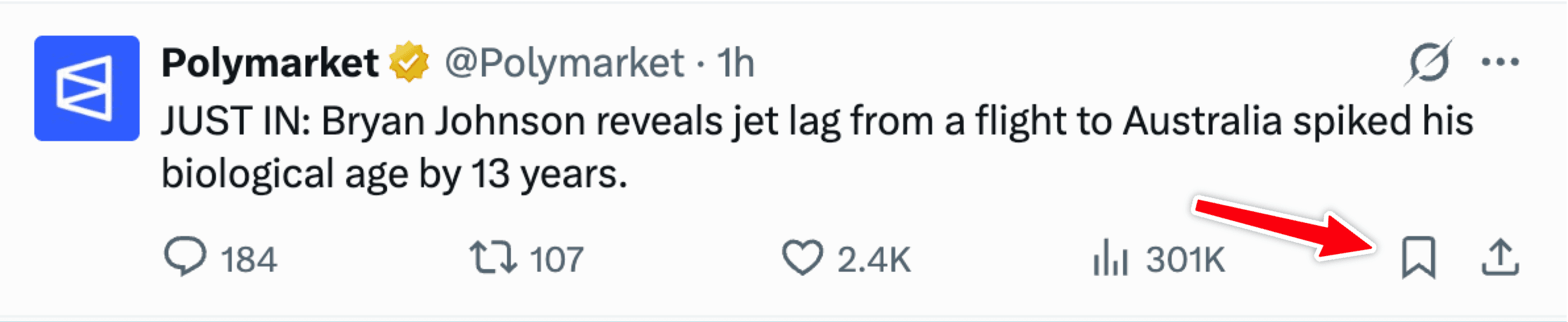
Does the person get notified when you bookmark their post?
No. Bookmarking is silent. The author gets no notification and no way to tell that you saved their post.
What they can see is a bookmark count on the post — basically "X people saved this." It's just a number; it never shows who.
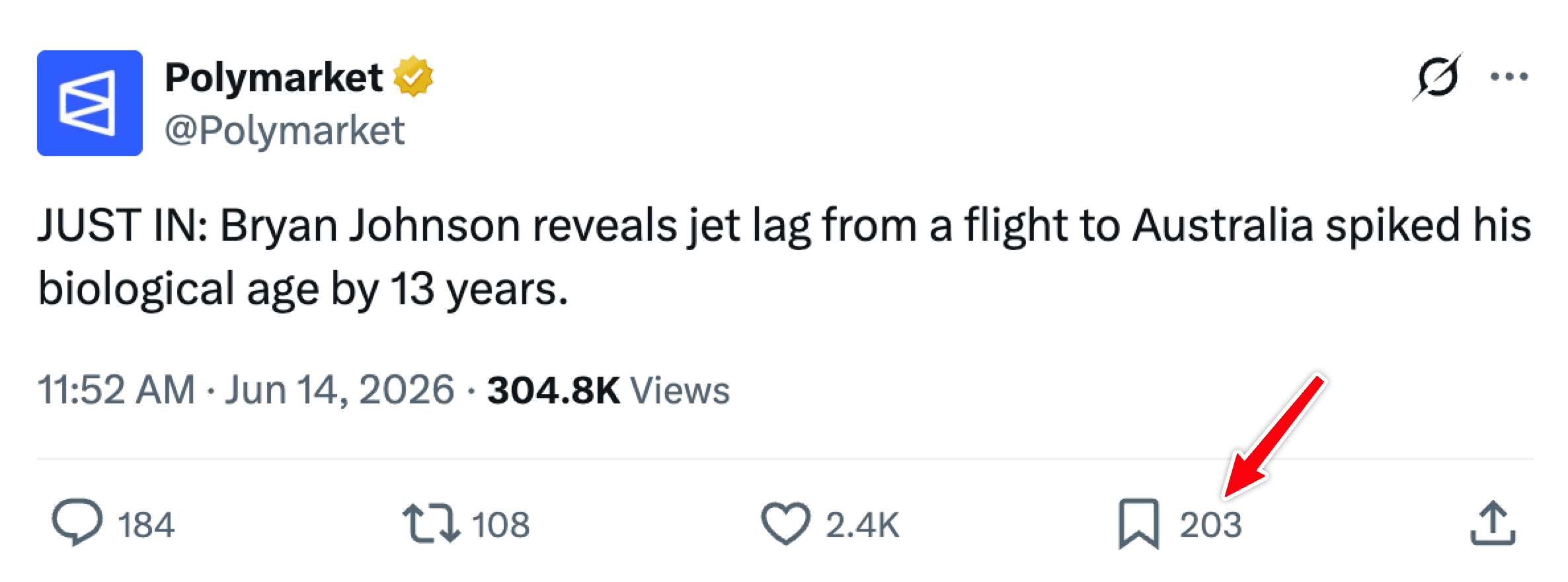
Are Twitter bookmarks and X bookmarks the same thing?
Yes — they're identical. X is just the new name for Twitter. The Bookmarks feature didn't change when the name did. So if you searched "are Twitter bookmarks public" and landed here, the answer is the same: they're private, on both the old and new branding.
Bookmarks vs. likes: the privacy difference
This trips a lot of people up. Bookmarks and likes sit right next to each other and look similar, but their privacy rules are opposite:
| Bookmarks | Likes | |
|---|---|---|
| Who can see them | Only you | Anyone (public by default) |
| Shows on your profile | No | Yes — in the Likes tab |
| Notifies the author | No | Yes |
| Good for saving quietly | ✅ Yes | ❌ No |
So if you want to save a post without anyone knowing, bookmark it — don't like it. A like is public; a bookmark isn't.
How to find your bookmarks
Your bookmarks live in your account menu — they're only visible to you.
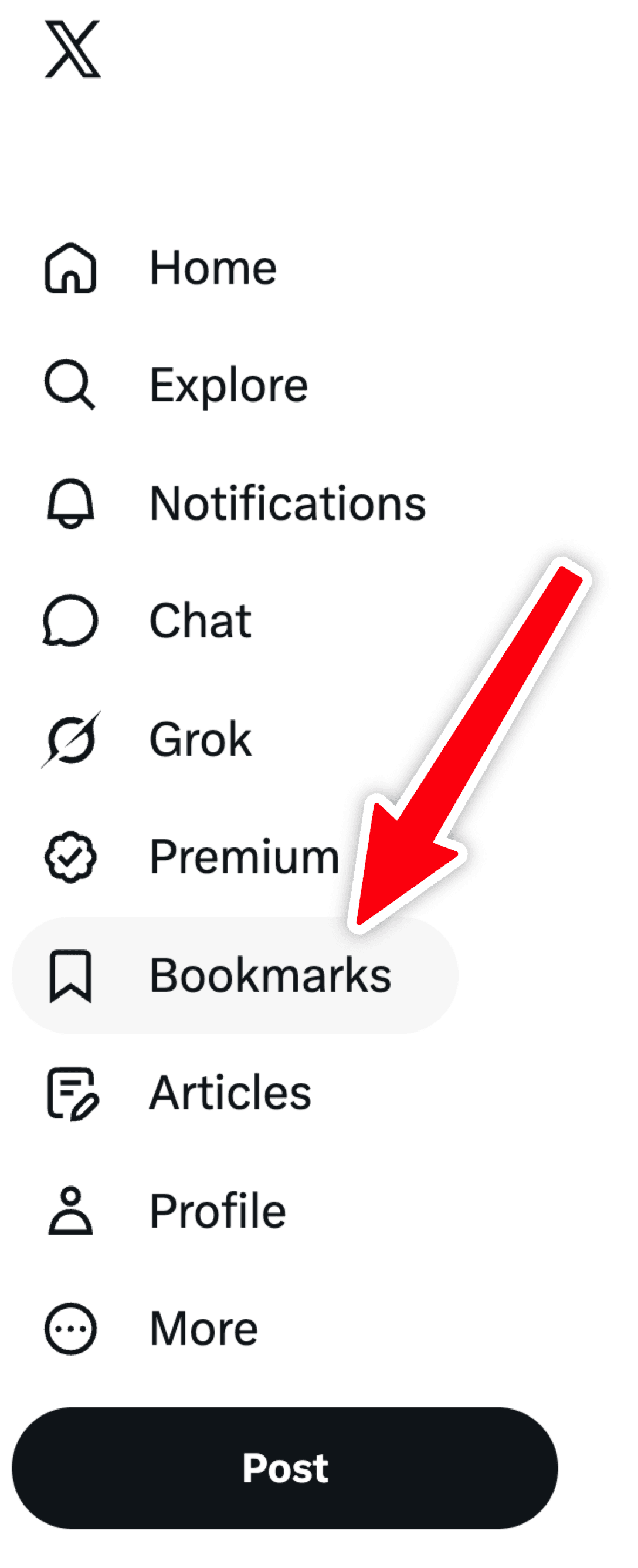
On the X app (iPhone / Android):
- Tap your profile picture (top-left) to open the menu.
- Tap Bookmarks.
On a computer (x.com):
- Look at the left-hand navigation menu.
- Click Bookmarks (you may need to click More first).
How to bookmark — and un-bookmark — a post
To save a post: tap the bookmark icon (the ribbon/banner shape) in the row of icons beneath the post. That's it — it's saved privately.
To remove a bookmark: tap the same icon again, or open your Bookmarks, find the post, and tap the icon to un-save it. Removing a bookmark is just as private as adding one — nobody is told.
How to hide your likes on X
Plenty of people who look up bookmark privacy are really trying to hide their likes, since those are public. The honest answer is that it depends on whether you pay for X:
- With X Premium, there's a setting to hide the Likes tab on your profile. Premium is a paid subscription.
- Without Premium, you can't hide it — your likes stay public.
If you don't want to pay, the workaround is the whole point of this article: bookmark posts instead of liking them. You still get a "save for later" list, but it's private.
In short
Bookmarks on X (Twitter) are private — only you see them, and the poster is never told you saved their post. They can see a bookmark count on their own posts, but never a list of names. Likes are the opposite: public unless you pay for X Premium. So when you just want to save something for later without leaving a trace, use a bookmark.
Frequently asked
+Can people see your bookmarks on X?
+Does someone get notified when you bookmark their post on X?
+Are Twitter and X bookmarks the same thing?
+Can the post author see how many people bookmarked their post?
+Are bookmarks the same as likes on X?
+How do I hide my likes on X?
+Will anyone know if I delete a bookmark?
TurboConsole helps website owners find and fix what’s holding their pages back in Google Search — ranked by impact, with the fix attached.